Local AI does not have one memory requirement. The model weights, the conversation context, the runtime buffers, and the operating system all compete for space. That is why a model that appears to fit on a graphics card can still fail when you paste in a long document or open a second session.
The useful starting point is to separate the three terms buyers often mix together: VRAM is memory attached to a discrete GPU, RAM is system memory attached to the CPU, and a KV cache is a runtime store for attention data from the current context. NVIDIA’s CUDA programming guide describes CPU and GPU memory as distinct physical spaces, while Hugging Face’s cache explanation describes how key and value tensors are retained during autoregressive generation.
How much VRAM does a local AI model need?
Start with the weights. A rough lower-bound calculation is:
weight memory in bytes = parameter count × bytes per parameter
That is a planning calculation, not a promise about a particular download. Hypothetically, a 7-billion-parameter model stored at roughly 4 bits per weight would have about 3.5 GB of raw weight data before scales, metadata, temporary buffers, and the cache are added. On the same idealized basis, 8B is about 4 GB, 14B about 7 GB, 32B about 16 GB, and 70B about 35 GB. These figures use decimal parameter labels and the idealized 0.5 bytes per weight, so they are arithmetic examples for comparing scales, not measured model-file sizes or purchasing recommendations.
Quantization is what makes those smaller numbers possible. The llama.cpp project supports 1.5-bit through 8-bit integer quantization for reduced memory use. The actual model file is larger than the simple multiplication because quantizers store extra information needed to reconstruct groups of weights. The runtime also needs room for activations and scratch buffers. Leave headroom instead of choosing a model whose idealized weight total exactly equals the card’s advertised VRAM.
The measured model file is only one allocation. The context cache and runtime buffers also need space, and architecture, quantization type, context length, batch size, GPU offload settings, and inference engine all change the result. The correct check is to load the intended model with the intended settings and inspect the runtime’s weight, KV, and compute-buffer allocations. A parameter label by itself cannot establish a hardware requirement.
What a “4GB” model label leaves out
NVIDIA’s Nemotron 3.5 Bolt E4B 4GB, published October 23, 2026, is aimed at local assistants and makes the difference between a model label and its memory footprint concrete. Its model card lists 8 billion total parameters, 4 billion effective parameters, Q4_K_M quantization, and context up to 64K tokens. The downloadable Q4_K_M GGUF file in the repository is 6.18 GB on disk. File size is not the same measurement as peak GPU memory, but “4GB” is not a promise that the downloaded artifact or every runtime configuration fits inside 4GB.
NVIDIA’s own test table reports 3.5 GB of peak VRAM on an RTX 5070 (12GB) for zero cached tokens, 3K input tokens, and 50 output tokens; at 32K cached, 2K input, and 256 output, it reports 4.3 GB. For the Jetson Orin Nano (8GB), NVIDIA’s table lists 4.2 GB and 4.9 GB of VRAM use for those same workloads. The measurements use Q4_K_M, batch size one, llama.cpp with CUDA, and AIPerf; NVIDIA warns that results vary with hardware, software, and configuration. These are vendor-reported figures, not independent tests or guarantees for another setup. They show why context length belongs in the memory budget even when the model weights stay the same.
A trillion-parameter model has a workstation-class local path
Mistral Large 4 shows how total and active parameter counts differ. Mistral’s October 29, 2026 weight release calls it a one-trillion-parameter model. Its model documentation lists 1.05T total parameters, while the official model card says 49B are active per token (52B including embeddings and output layers). The active count is not a full-checkpoint memory estimate.
The active-per-token figure describes a sparse route through the network, not a set of weights a local runtime can simply omit. For hardware planning, pair the actual quantized checkpoint with the target context, concurrency, and the runtime’s memory allocations; total and active parameter labels alone do not tell you whether a specific host will fit it.
Hugging Face’s October 29, 2026 deployment guide says the 2-bit quants run on a single Apple Silicon Ultra system with 512GB of unified memory. In a separate Q2_K test on an M3 Ultra, the team reports about 90 tokens per second of prompt prefill and 15 tokens per second of generation. Those results belong to one quantization and device, not a minimum specification or a general performance guarantee. The guide says its other listed quantizations require distributed inference. Its example vLLM configuration uses eight-way parallelism and a 131,072-token maximum model length, so the model’s one-million-token context ceiling is not evidence that this deployment recipe serves a million-token context.
For buyers, this is a high-memory workstation case, not a typical laptop upgrade. Mistral’s modified-MIT-style Ecosystem Open-Weight license allows use, modification, fine-tuning and commercialization, but businesses operating a Model-as-a-Service offering need a separate commercial license. Open weights add control over deployment; they do not make a trillion-parameter checkpoint small or remove the need to check the license for a hosted service.
What a looped “9B” model changes
SenseNova’s October 30 release of Loop 9B Preview shows why a model label is not a memory budget. Its model card lists about 9 billion total parameters but about 14.6 billion inference parameters: 24 of its 32 decoder layers execute twice with shared weights, producing 56 layer executions without a second set of those weights. The published export uses BF16 for the backbone and FP32 for mHC routing. Repeated execution adds layer work, not another copy of the shared weights. A “9B × 2 bytes” calculation is still not a VRAM target because precision, KV cache, runtime buffers, and the rest of the workload matter.
SenseNova’s own deployment guide points users to code from open upstream pull requests: SGLang #47281 and vLLM #64832. The SGLang PR reports 20 tests plus 12 subtests and text, image, and video API smoke tests on one 80GB H800, while saying end-to-end benchmarks have not been run; its current GitHub CI checks are marked as failing. The vLLM author reports 90 local checks and a validation run on an 80GB H100, but notes upstream CI had not advanced beyond contributor eligibility. These are implementation snapshots, not stable-release guarantees, performance claims, or minimum VRAM figures.
Before selecting a machine, check the exact checkpoint revision and backend commit, then run the intended context and concurrency and inspect weight, KV-cache, and compute-buffer allocations. A parameter label cannot answer whether the full workload fits.
Why context length changes the answer
During generation, a transformer repeatedly needs the attention keys and values created by earlier tokens. A KV cache keeps those tensors so the runtime does not recompute them for every new token. Hugging Face describes the default dynamic cache as growing as generation adds more tokens, and notes that cache memory grows with sequence length even though caching reduces the repeated computation.
That makes “supports 128K context” a software and model limit, not a statement that a laptop can run 128K tokens comfortably. The cache has to be allocated somewhere, and its size depends on the model’s layer count, key and value head shape, cache data type, context length, and number of active sequences. The same model can fit at 4,096 tokens and fail at 32,768 tokens without changing its weights.
Concurrency multiplies the pressure. One 16,000-token conversation and four 4,000-token conversations can consume a similar total token budget if the server sizes a shared cache that way. llama.cpp exposes context, cache type, and parallel-slot controls because they are memory decisions as much as quality or latency decisions. Start with the context window your application actually needs, then increase it while watching the runtime’s reported allocations.
Long context also has a second cost: it can reduce throughput even when the allocation succeeds. More tokens must be attended to, and a large fixed cache can reserve memory that short requests never use. Hugging Face documents this tradeoff for static caches, which allow torch.compile and can cut latency at the expense of memory, but waste cache space on short sequences when the fixed size is large.
RAM versus VRAM for local AI
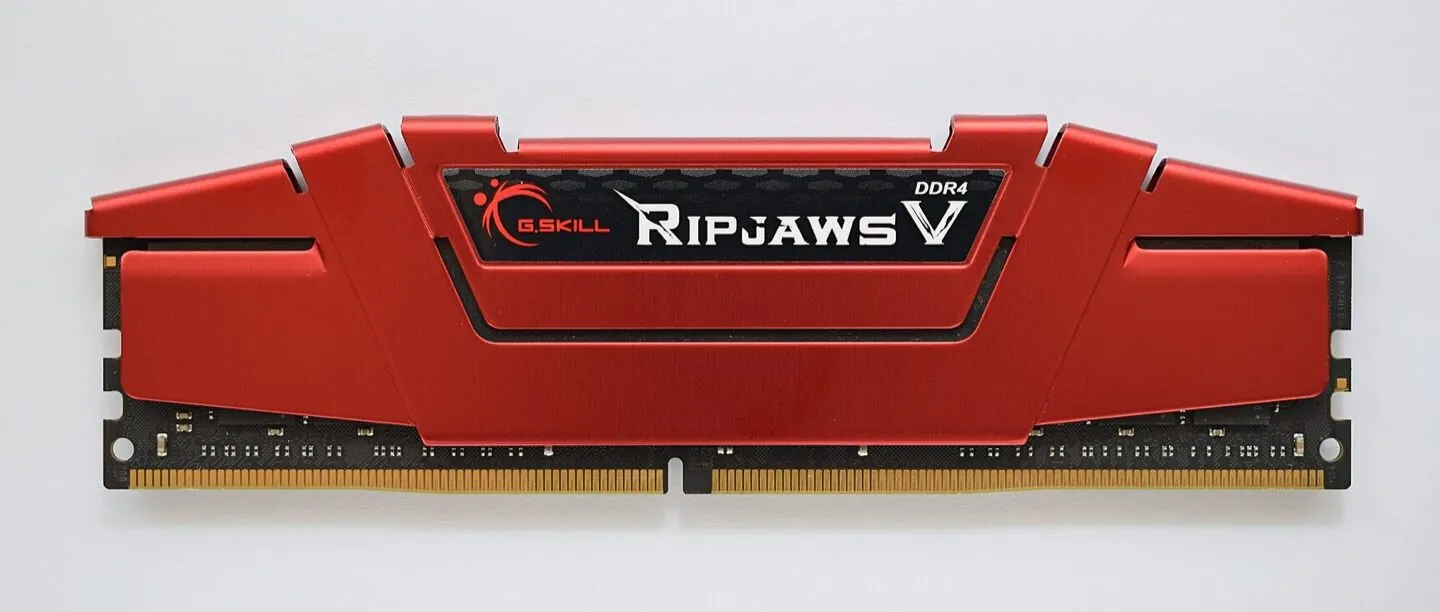
On a desktop with a discrete GPU, keeping the active model and its hot working data in VRAM avoids depending on transfers between memory domains. System RAM still matters for loading the model, memory-mapped files, CPU-side layers, the operating system, and applications running beside the inference server. If the runtime places model layers or cache data in host memory, it may continue to work, but the transfer path has different latency and bandwidth from local VRAM.
NVIDIA’s guide makes the important distinction directly: GPUs and CPUs both have directly attached DRAM, and CUDA has separate APIs to allocate GPU memory and CPU memory. Mapped memory and unified memory can change how data is reached or moved, but the guide still says performance is best when data is accessed from the processor directly attached to the memory where it resides. “It runs” and “it runs at a useful speed” are different outcomes.
Integrated graphics and some laptop systems change the accounting. They may use a shared or unified memory pool, so a machine advertised with 32 GB of RAM may let the GPU and model draw from that same pool. That can make a larger model fit than a discrete 8 GB card would, but the model is competing with the operating system and applications, and memory bandwidth is shared. Do not compare a unified-memory laptop’s total RAM directly with a discrete GPU’s VRAM as if the numbers described the same resource.
The practical buying rule is simple:
- Choose VRAM first when you want predictable speed from a discrete GPU.
- Choose system RAM generously when you expect CPU inference, model offload, large model files, or a unified-memory machine.
- Choose context and concurrency deliberately. A shorter context with one active user can be more usable than a headline context limit that exhausts the cache.
- Measure the model file and runtime allocation together. Do not size a machine from parameter count alone.
A repeatable sizing check
Before buying hardware, write down the model file size, target context length, number of simultaneous sequences, quantization format, and whether the runtime offloads the KV cache. Load the model with the intended settings and record the weight, KV, and compute-buffer allocations. Then leave room for the desktop, browser, drivers, and any retrieval or document-processing process that shares the machine.
Neon Control’s local AI hardware-fit tool is useful for a first estimate because it separates checkpoint parameters, bit depth, context reserve, and runtime overhead. It is not a benchmark and does not predict tokens per second, thermals, driver compatibility, or backend support. For the wider hardware picture, memory bandwidth is often why a model can be compute-capable yet starved for data, while the NPU versus GPU versus CPU guide explains which processor is doing the work.
The durable lesson is that local AI capacity is a budget, not a single specification. Weights set the entry cost. KV cache turns context and concurrency into live memory use. RAM provides operating room and can extend what a system loads, while VRAM determines how much of a discrete-GPU workload stays on the fast path. Size all three before you buy.